2026
Zanko - Homepage Redesign
Product Design
UX
SaaS
Zanko is a regtech SaaS platform used by banks and fintechs to manage consumer complaints. The Overview page is the first thing user sees when they log in, but it wasn't doing its job.

The Problem
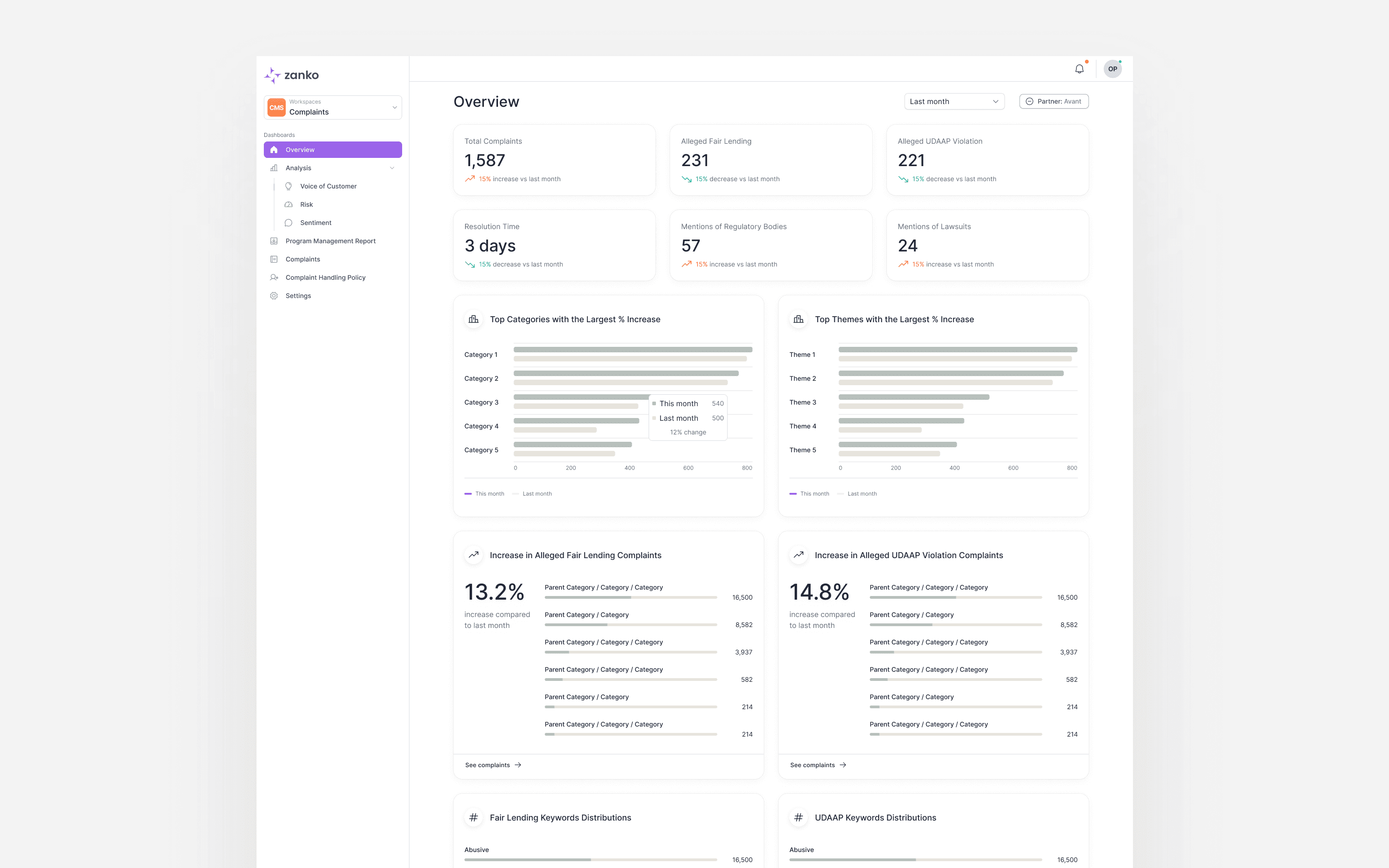
User feedback pointed to a consistent frustration: the original Overview page was data-heavy but not actionable. It displayed complaint volumes, category trends, and keywoord distributions, but it gave users no clear indication of what to prioritize or act on. The page answered "what's happening" but never "what do I do next."
Defining the Approach
The product team provided a general direction, but translating it into a concrete layout required several iterations. An early interpretation of the brief led to a tab-based model, a single Overview page where users could switch between role-specific views. After review, this was scrapped. Giving users the ability to toggle between IC and Manager contexts added flexibility without adding value; neither role benefits from seeing the other's information, and the switching mechanismn itself was just friction.
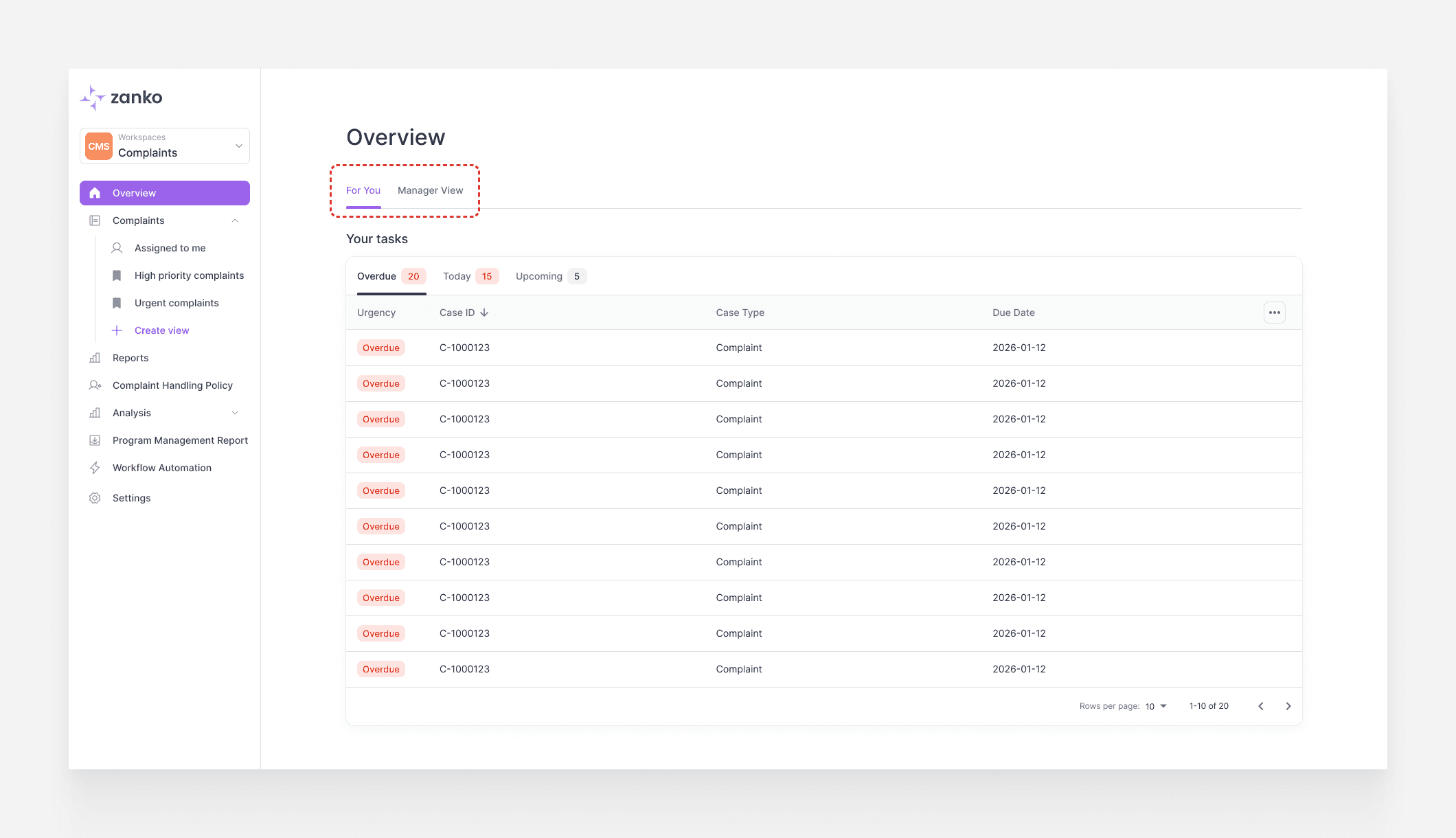
An early exploration with a tab-based model allowing users to switch between role views — scrapped after review.
The more important realization was that the role split wasn't just a layout decision, it was a content decision. ICs don't need org-level health metrics, trend charts, or AI-generated insights. They need to know what cases are overdue, what's due today, and what's coming up. Everything else is noise that delays them getting to work. Managers need the inverse: not a task list, but a single layer. What patterns are emerging, where is the team struggling, who needs attention. Once that content boundary was drawn clearly, the layout followed naturally.
A similar tension emerged within the IC view itself. Earlier iterations included pagination, tab-switching between Overdue / Due Today / Upcoming, sort controls, and other interactive features. But the more functionality was added, the more the page started to resemble the thing it was replacing, a place to manage work rather than a place to orient and move. Every additional control was a small tax on that. The final decision strips it back to the minimum: clear urgency bucketing, visible counts, and direct links into the relevant case lists. Nothing to configure, nothing to learn.
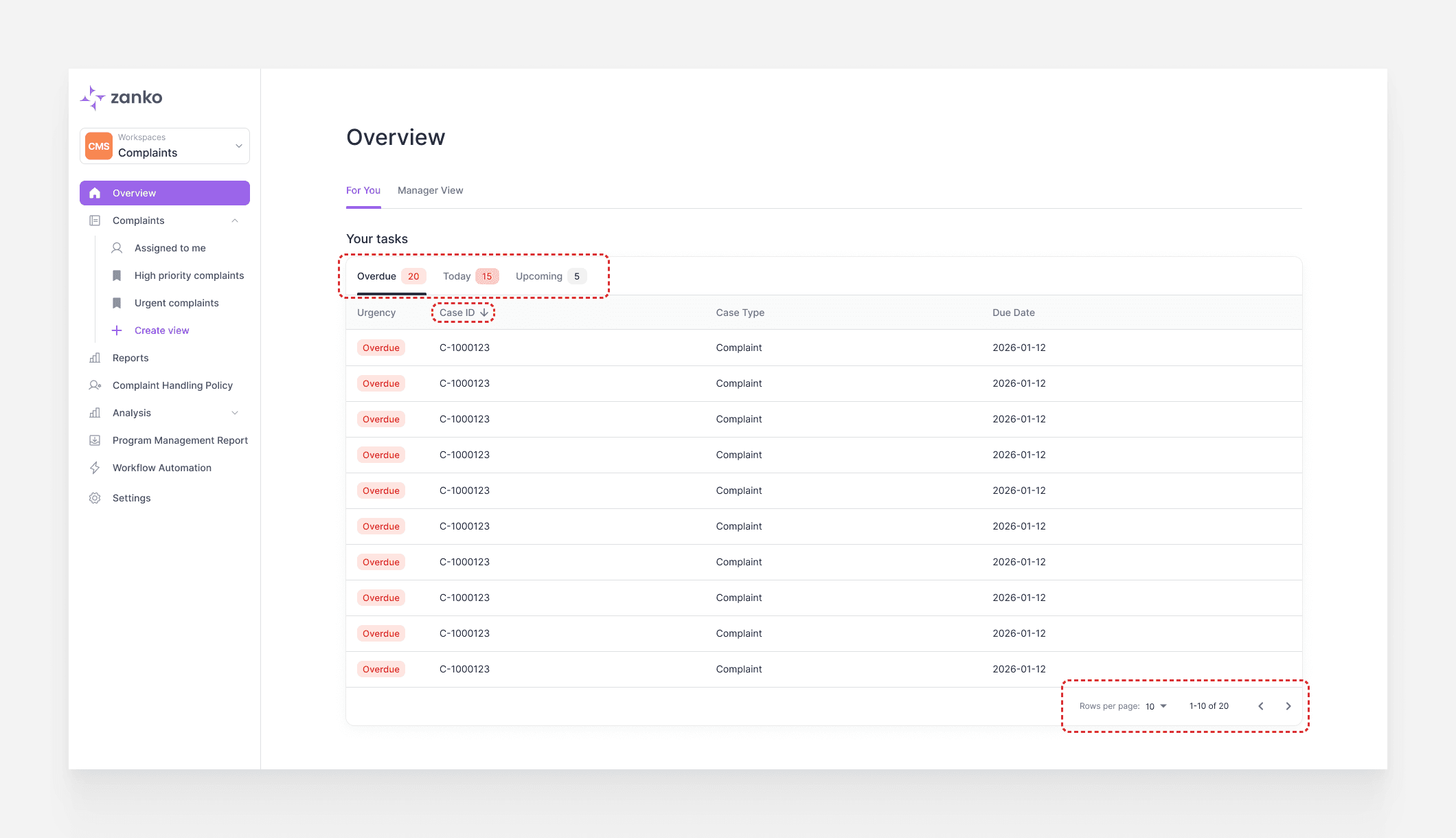
An early IC iteration with sort, pagination, and tab controls.
Underlying all of this is a role configuration layer built into the platform's settings. Admins can define teams, assign managers, and add agents, which is what powers the role-based view logic at the product level.
The IC View
The IC view is built around a single question: what do I need to work on right now. Complaint health sits at the top as a passive status layer, enough context for an agent to know if something is systemically wrong, but not the focus. The real entry point is "What Needs Attention," which buckets the agent's workload into three urgency categories: Overdue, Due Today, and Upcoming.
An earlier iteration used a flat list sorted by urgency, which surfaced the most critical cases at the top. The column layout was chosen instead because it creates a direct visual connection with the three summary tiles above it. Each column maps to its corresponding tile, reinforcing the hierarchy without requiring the user to learn a new mental model. Urgency priority is preserved through left-to-right scanning order rather than top-to-bottom, a natural tradeoff given how users scan a wide layout. A bottom ticker showing weekly closed cases and backlog trend rounds out the view, a lightweight performance signal that doesn't interrupt the primary workflow.
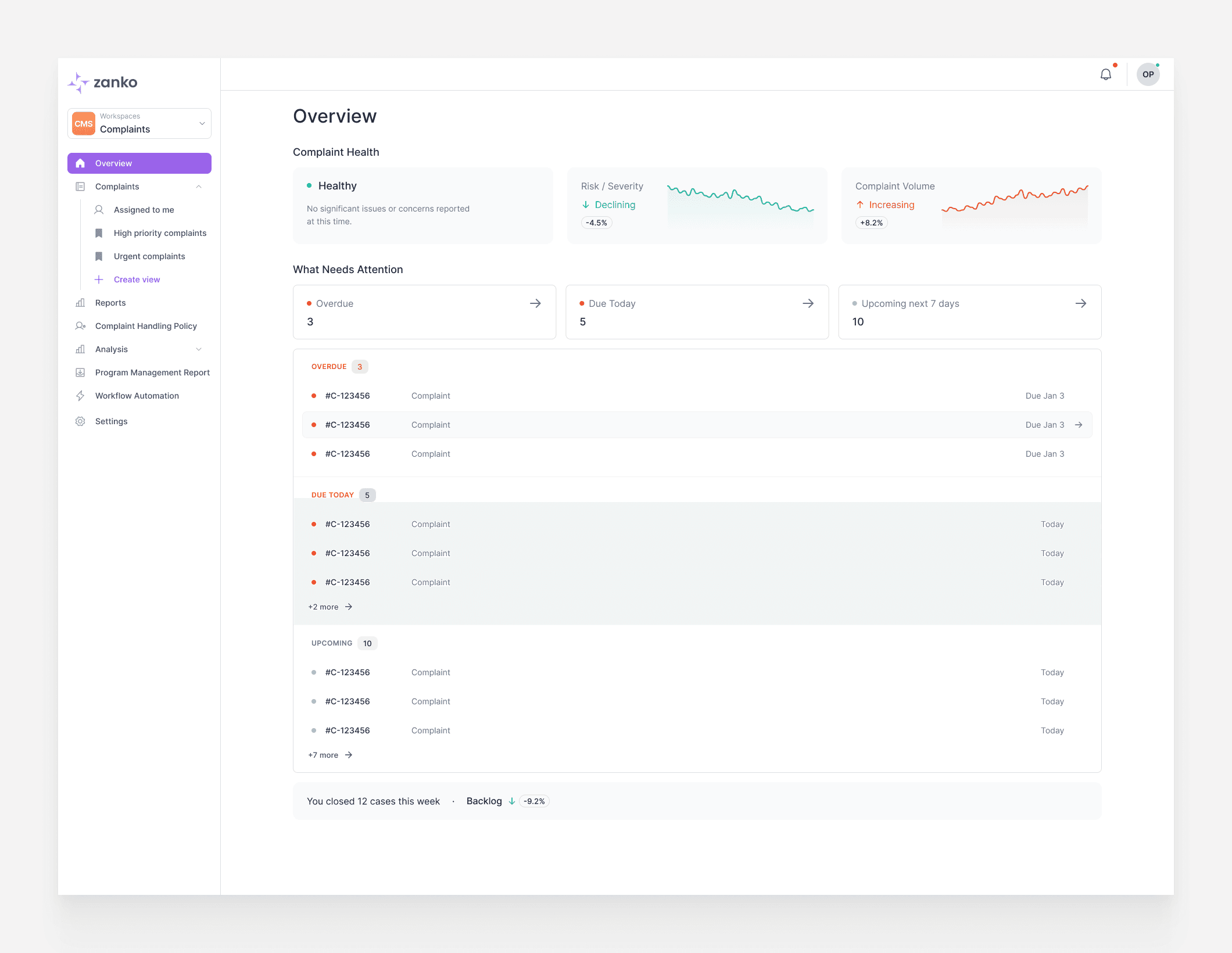
An earlier list-based layout that sorted cases by urgency top-to-bottom.
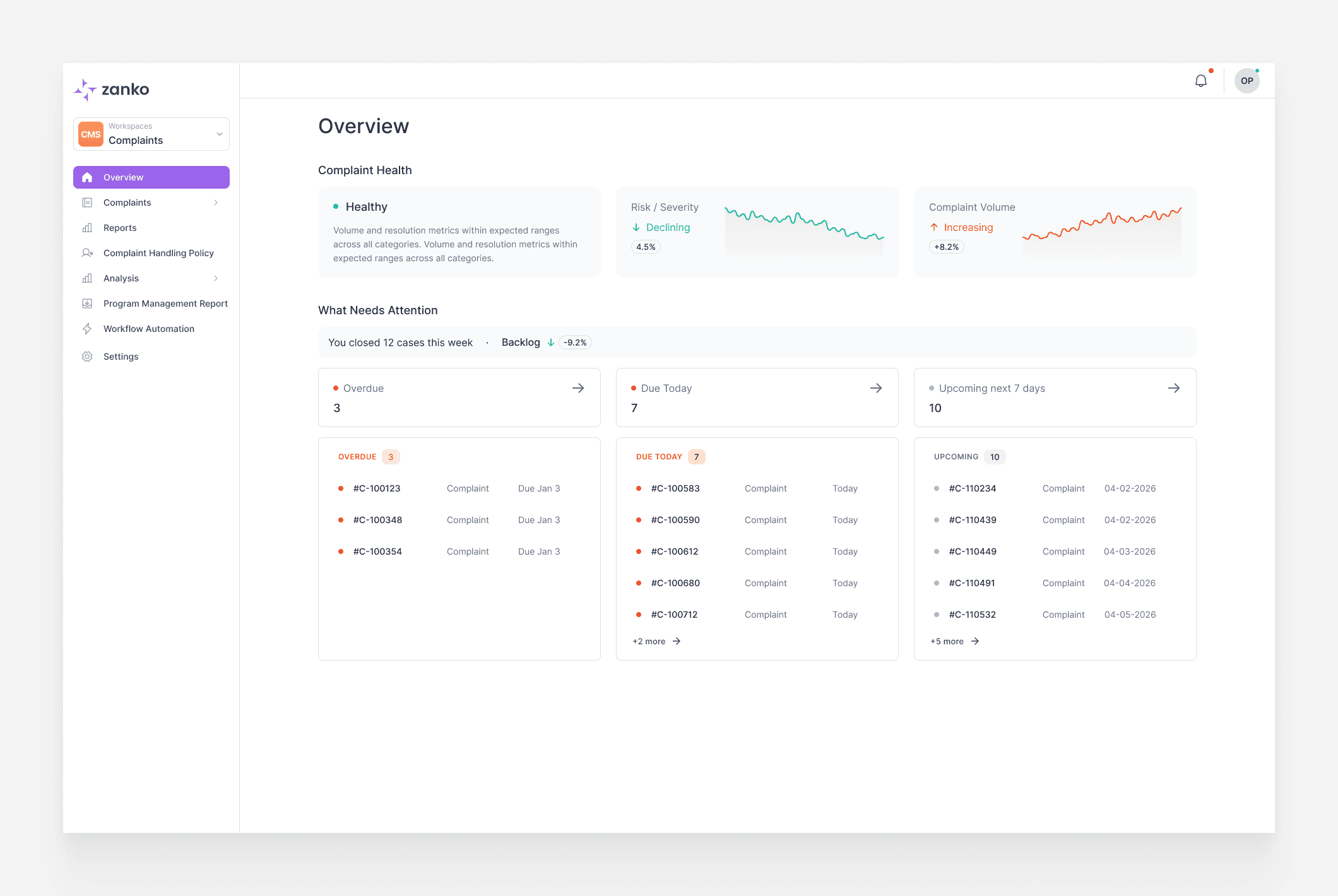
The final IC view, using a column layout that maps directly to the urgency tiles above.
The Manager View
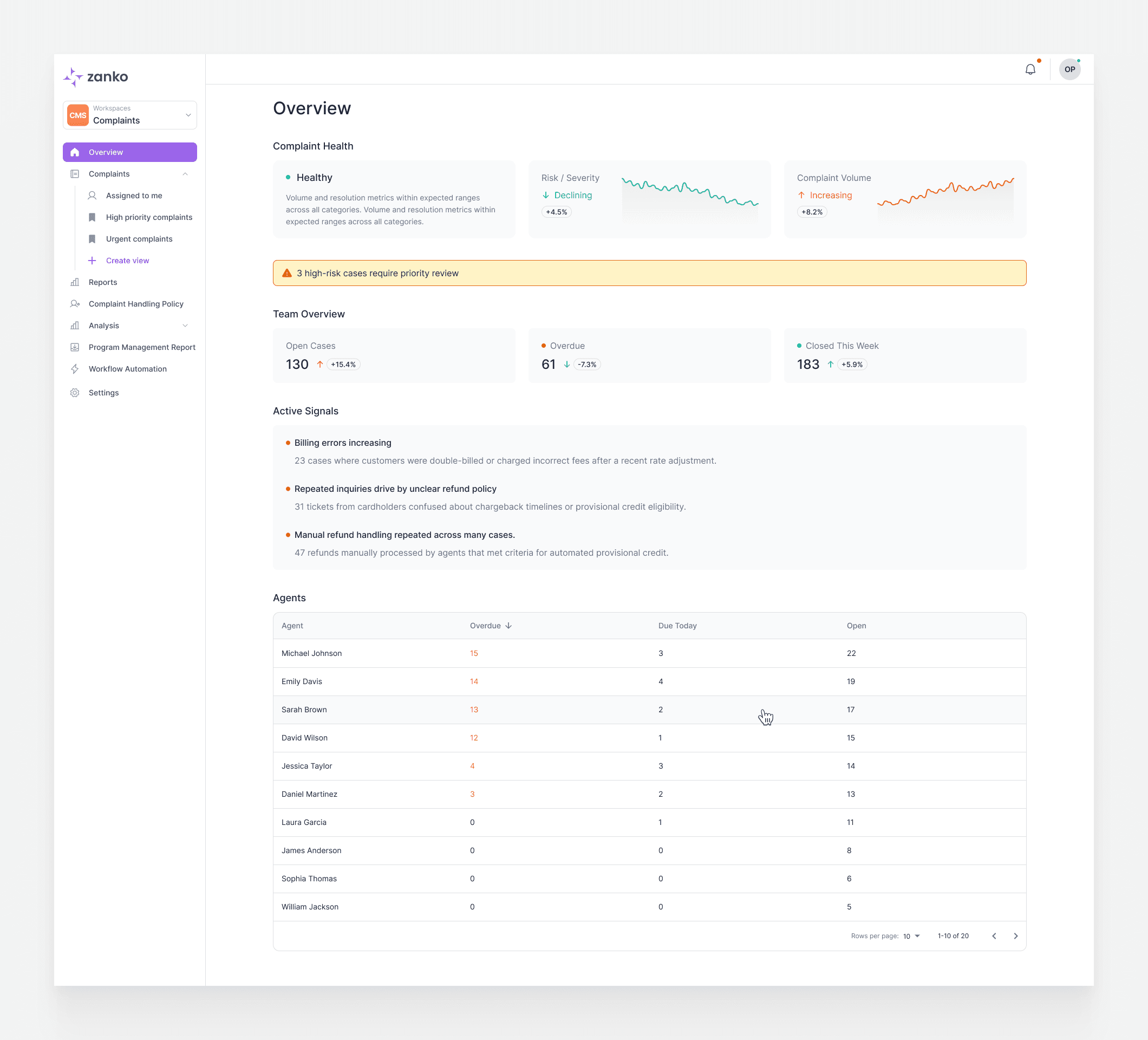
The manager view shares the same complaint health header but diverges immediately after. Managers don't have a personal task list, they have a team to oversee. The view surfaces three things in sequence: a high-level team health snapshot (open cases, overdue, closed, this week), active signals flagging emerging patterns across the complaint queue, and an agent performance table.
The active signals section was a collaborative decision with the product team. Each signal includes AI-generated context describing what's driving the pattern, giving managers enough information to decide whether to investigate without having to dig into individual cases first. The agent table defaults to sorting by overdue count descending, immediately putting the most at-risk agents at the top. Managers can re-sort by any column header depending on what they need.